

TGP Custom Builds
Your home simulator, scoped by the team that built ours.
We are TGP first, dealer second. Every home build we scope starts from what we know works, because we operate the same technology at the clubhouse every day.
Our Approach
Custom-first. Opinionated where it counts.
Every simulator is a room, a launch monitor, a screen, a projector, a computer, and the software that ties it together. We design around your space and your goals, but we lean on what we already run to make the calls that matter.
01
Discover
We start with a call and, when possible, a walkthrough of your space. Ceiling height, room dimensions, hitting angles, lighting, ventilation, power, and network all matter, and getting them right up front avoids expensive corrections later.
02
Design
We scope the full stack: launch monitor, screen, projector, computer, enclosure, flooring, hitting mat, seating, audio, lighting, and network. You get a clear picture of what is included, what is optional, and what tradeoffs you are choosing between.
03
Install
We coordinate delivery, install, calibration, and software setup. For residential builds we work with your contractor or ours. For commercial builds we plan around your fit-out timeline.
04
Support
Every build ships with MURLIE preinstalled and a direct line back to us. You are not calling a call center. You are calling the operators who use the same equipment every day.
Example Configurations
Starting points, not menus.
These are configurations we have scoped before. Every real build gets tuned to the space, budget, and use case. Consider these as a way to calibrate what to ask for.
Showing
Home Enthusiast
Focused practice in a spare room, garage, or basement.
- Launch monitor
- NVISAGE N1 (overhead)
- Software
- MURLIE (included), optional GSPro
- Space needed
- 10 ft ceilings minimum, 12 × 15 ft floor
Typically includes
- N1 launch monitor + install
- Impact screen and enclosure
- Short-throw projector + PC
- Hitting mat and turf border
- Basic acoustic treatment
Best for. Golfers who want honest ball and club feedback in a room they already have. The N1 keeps overhead cost low without floor clutter.
Premium Home
A finished simulator room built to feel like a real bay.
- Launch monitor
- NVISAGE N2 (overhead, three-camera)
- Software
- MURLIE + GSPro + E6 Connect
- Space needed
- 10 ft ceilings, 15 × 18 ft floor recommended
Typically includes
- N2 launch monitor + install
- Premium enclosure and impact screen
- 4K short-throw projector + PC
- Commercial-grade hitting mat
- Full acoustic treatment and lighting
- Seating, audio, and network setup
Best for. Golfers building a space they will use daily and want to show off. The N2 is the same launch monitor we run at TGP.
Every real build gets tuned to the space, budget, and use case. These are starting points to calibrate the conversation, not price tiers.
Flagship Build
We built TGP around the same stack we sell.
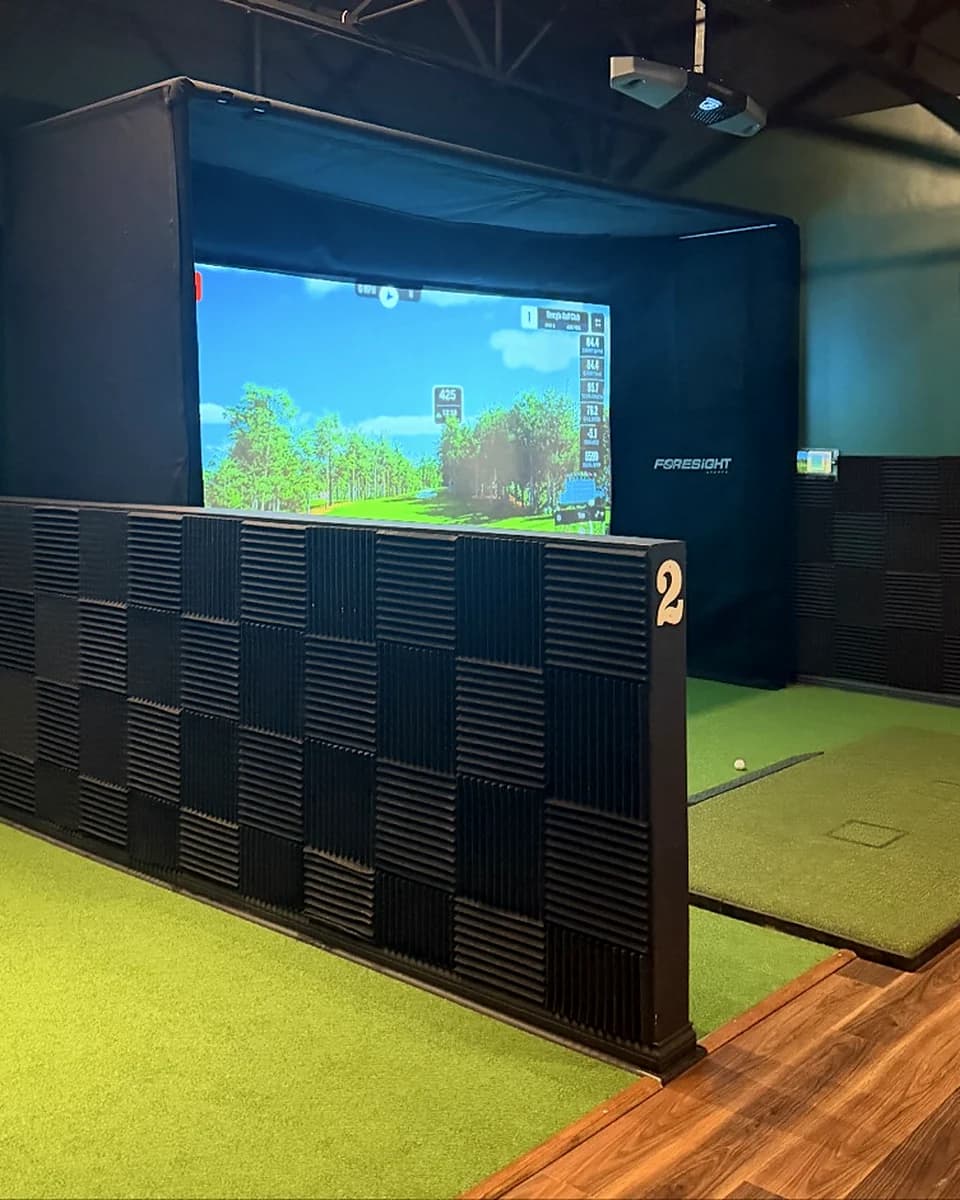
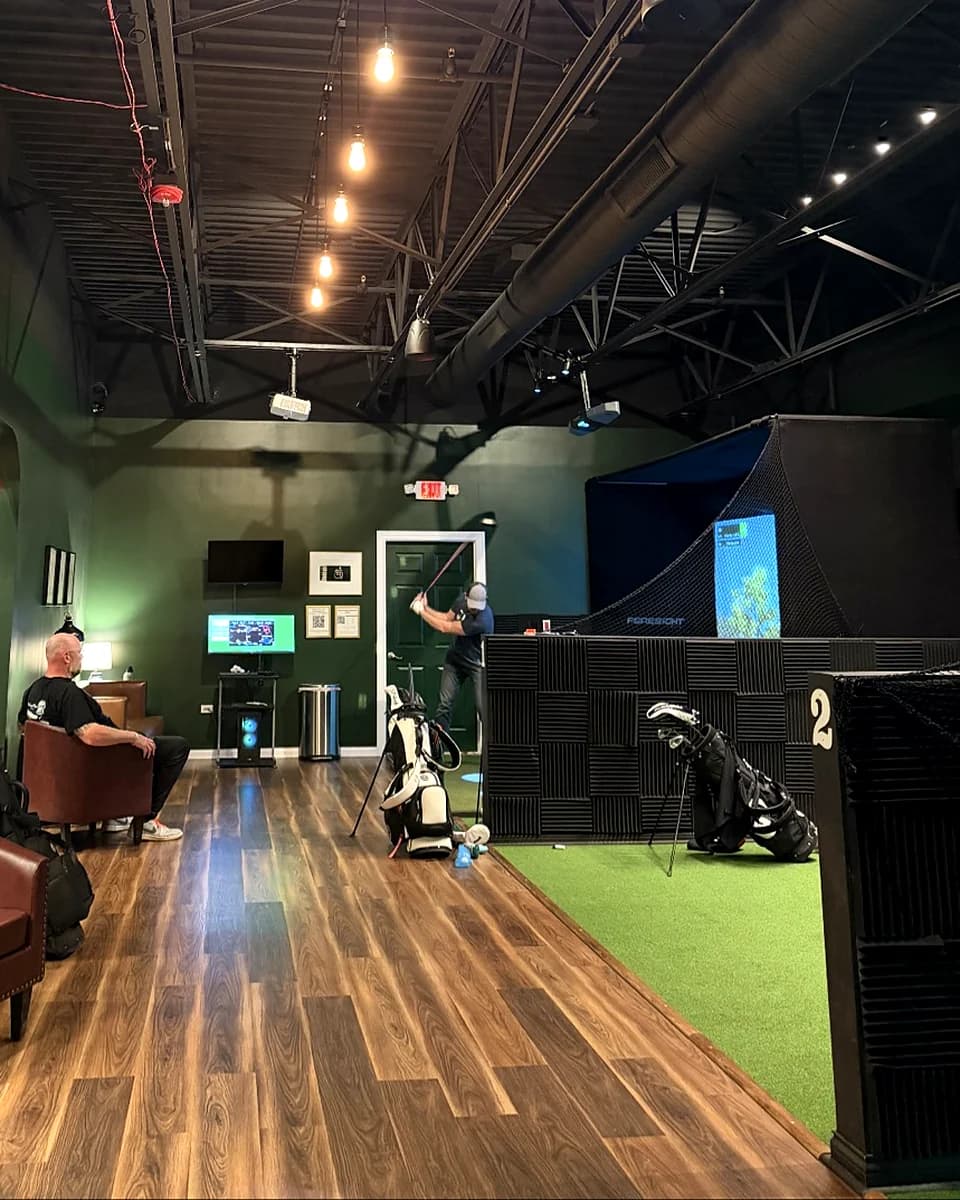
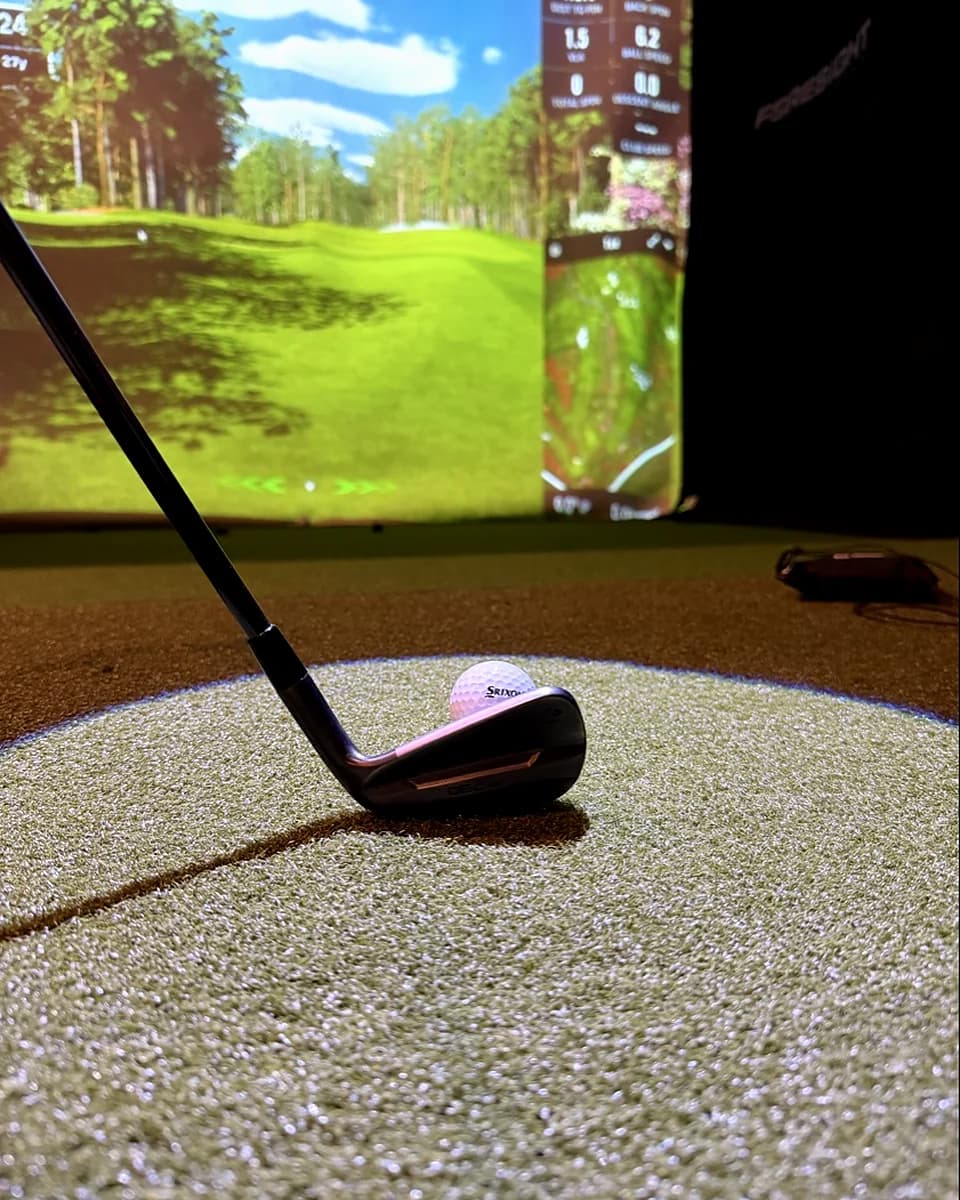
That Golf Place is a members-only indoor golf lounge in Westmont, Illinois. Three bays, each running an NVISAGE N2 overhead launch monitor, GSPro, and E6 Connect. Full acoustic treatment, controlled lighting, and a booking system that turns unattended access into a real product.
Because we operate the space every day, we know which decisions matter. Ceiling height and hitting angles. Ball recovery. Projector throw and screen tension. Network setup for reliability. Cooling for the equipment. Sightlines from the seating area. Every build we scope draws from those decisions.
- NVISAGE N2 bays
- 3
- Minimum ceiling clearance
- 10 ft
- Member-controlled access
- 24 / 7
- Operating in Westmont
- Since 2024
The Full Stack
Everything we handle.
A simulator is more than a launch monitor. Here is the full stack we scope, source, install, and support.
Launch monitor
NVISAGE lineup: N1, N2, NEO-T, NEO-E. Matched to your space and use case.
Software
MURLIE included. GSPro, E6 Connect, and Pureplay (coming) all supported.
Enclosure and screen
Tensioned impact screens, framed enclosures, and side netting sized to your room.
Projector
Short-throw and ultra-short-throw options. 1080p and 4K depending on scope.
Computer
Purpose-built PCs sized for the software you plan to run. Installed and configured.
Hitting mat and turf
Commercial-grade mats, turf borders, and ball return where appropriate.
Lighting and acoustics
Controlled lighting for launch monitor accuracy. Acoustic panels for noise control.
Audio and displays
In-room audio, secondary displays, and swing cameras when the build calls for it.
Network and access
Wired and wireless networking, remote support access, and optional booking or entry systems.
Common Questions
Straight answers before you inquire.
Where do you build?
Chicagoland is our core service area for full-service builds. For residential and small commercial builds outside the region, we can scope remotely and coordinate with a local installer. Contact us with your zip code and we will tell you what makes sense.
Do you install everything yourselves?
For clubhouse-adjacent builds we handle install directly. For projects further out we typically scope the full package, ship the equipment, and work with your contractor or ours to finish install and calibration.
How much does a build cost?
It depends on the launch monitor, the room, and how finished the space needs to be. Home builds usually start in the tens of thousands. Multi-bay commercial builds scale from there. We give a real number after the discovery call, not before.
How long does a build take?
Equipment lead times run four to eight weeks for most NVISAGE configurations. Residential builds are typically two to three weeks of on-site work once equipment arrives. Commercial builds vary with fit-out complexity.
What happens after the build is done?
You own the equipment and the room. MURLIE and any third-party software licenses transfer to you. Warranty is handled through NVISAGE. For calibration questions or software issues you have a direct line to the TGP team.
Can you help with something you did not install?
Sometimes. If you already own a room or a launch monitor and want to upgrade a piece of the stack, contact us and we will tell you honestly whether we are the right fit.
Next Step
Ready to scope your build?
One conversation is enough to know if we are the right team for your project. No pressure, no pitch deck.